
RMA Customer Scan
The RMA Customer Scan process ensures that returned products are validated by capturing IMEI details and recording the reason for return directly from the customer. This step guarantees product traceability, prevents errors, and supports smooth processing of the RMA.
Steps in RMA Customer Scan
- Click on the link shared.
-
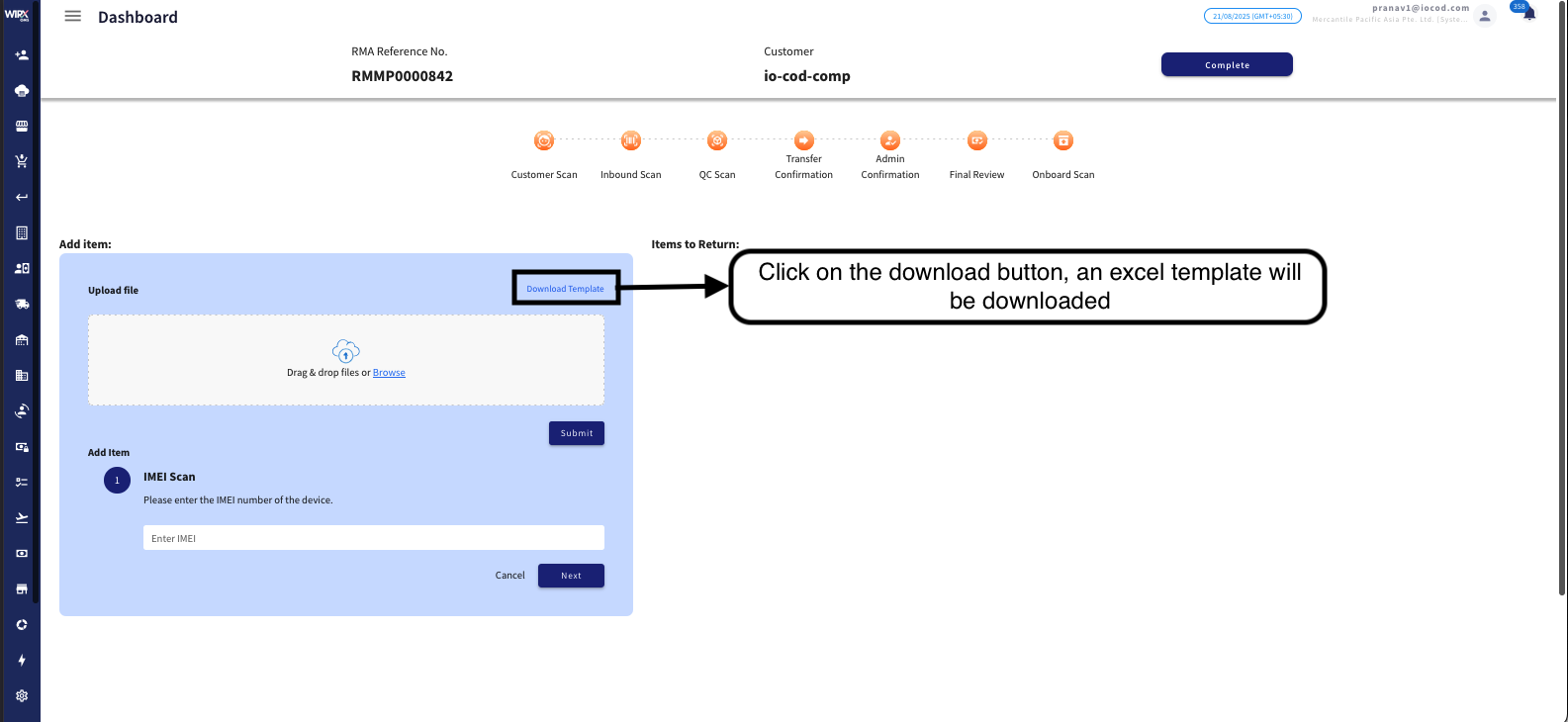
Upload File (Optional)
-
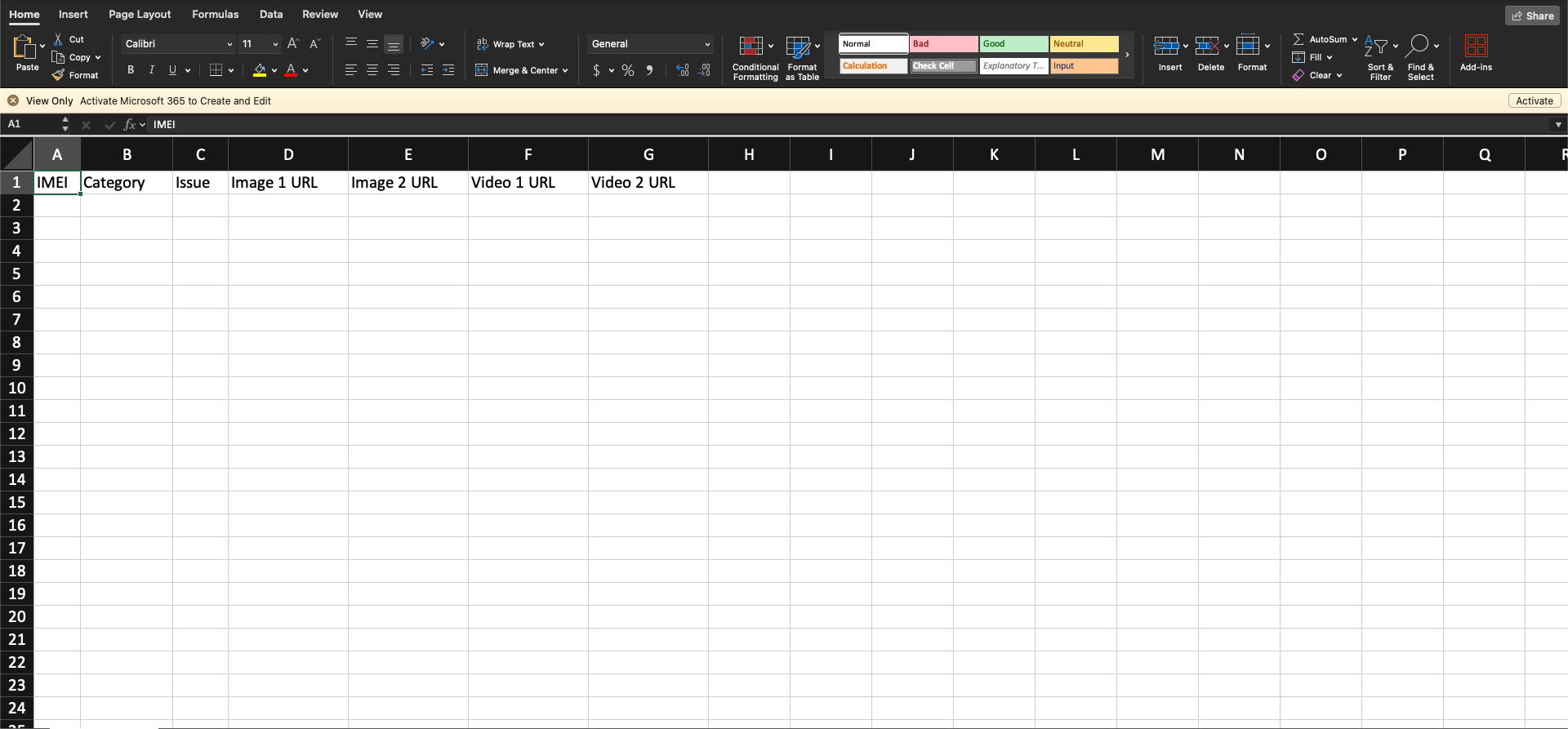
Open the Excel file, enter the required details, and upload it back to the file upload region.
-
Click on Submit.
-
-
Enter Return IMEI
-
Go to the IMEI scan section.
-
Enter or scan the Return IMEI, then click Next.
-
-
Enter Category & Issue
-
Select the Category of the product.
-
Enter the Issue/Reason for Return.
-
Click Next.
-
-
Validate Details
-
A confirmation box will appear on the page.
-
Review and validate the entered details carefully.
-
-
Complete Scan
-
Click the Complete button.
-
The Customer Scan process is now completed.
-


No comments to display
No comments to display