
Shipping
Shipping is the final step in the order fulfillment process, executed only after all payments have been confirmed.
Steps in Shipping
-
Open Shipping Confirmation
-
Go to the Shipping section.
-
Click on Shipping Confirmation.
-
-
Review Order Details
-
Click Review.
-
Verify the order details displayed on the page.
-
-
Enter Shipping Information
-
Fill in the required details:
-
Netsuite PI
-
Shipping Carrier
-
Mode of Transportation
-
AWB (Air Waybill) Number
-
-
-
Save Shipping Details
-
Click the Save button.
-
A box will appear to enter Special Instructions (if any).
-
After entering the instructions, click Save again.
-
-
Order Shipped
-
The system updates the status, and the order is now marked as Shipped.
-
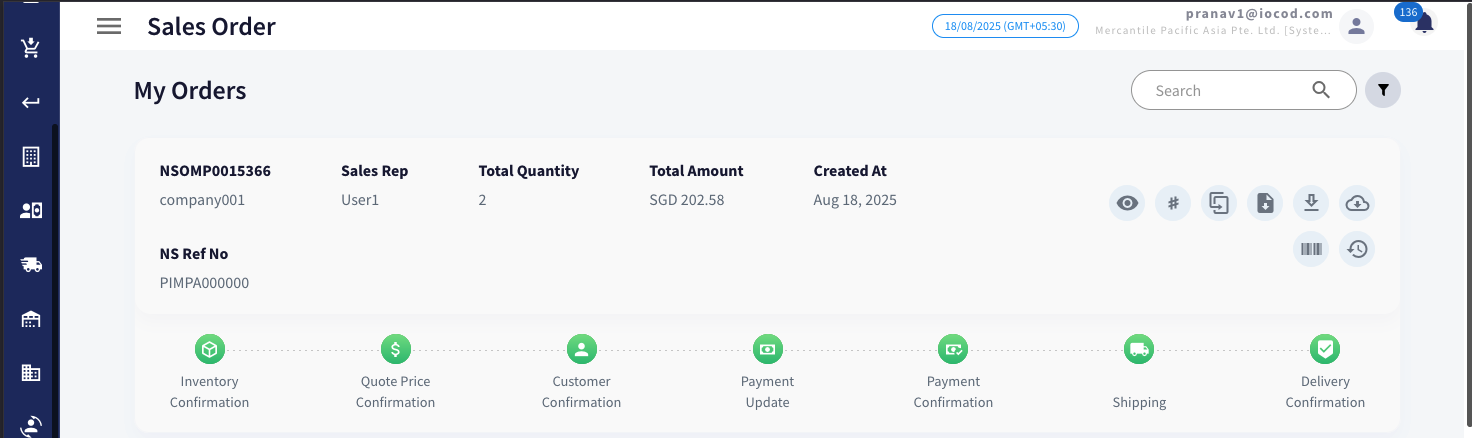
Once the shipping process is completed, the system automatically updates the order status to Completed, as reflected in the interface.
No comments to display
No comments to display