Contextual Help
COUNTRY OF ORGIN (COO)
Country of Origin (COO) refers to the country where a product is manufactured, produced, or assembled. It indicates where the goods originally come from.
How to Update COO for an Order
-
Go to STR or IC All Orders.
-
Select the required order.
-
Click on the Action button (with the location icon).
-
To update the COO (Country of Origin):
-
Use Bulk Select and choose the same country for all products, if the COO is identical.
-
Otherwise, select the country individually for each product.
-
-
Click Submit to save the changes.
The COO will be successfully updated.
Note: COO can only be updated after the packing confirmation is completed.
Update Net Suite
-
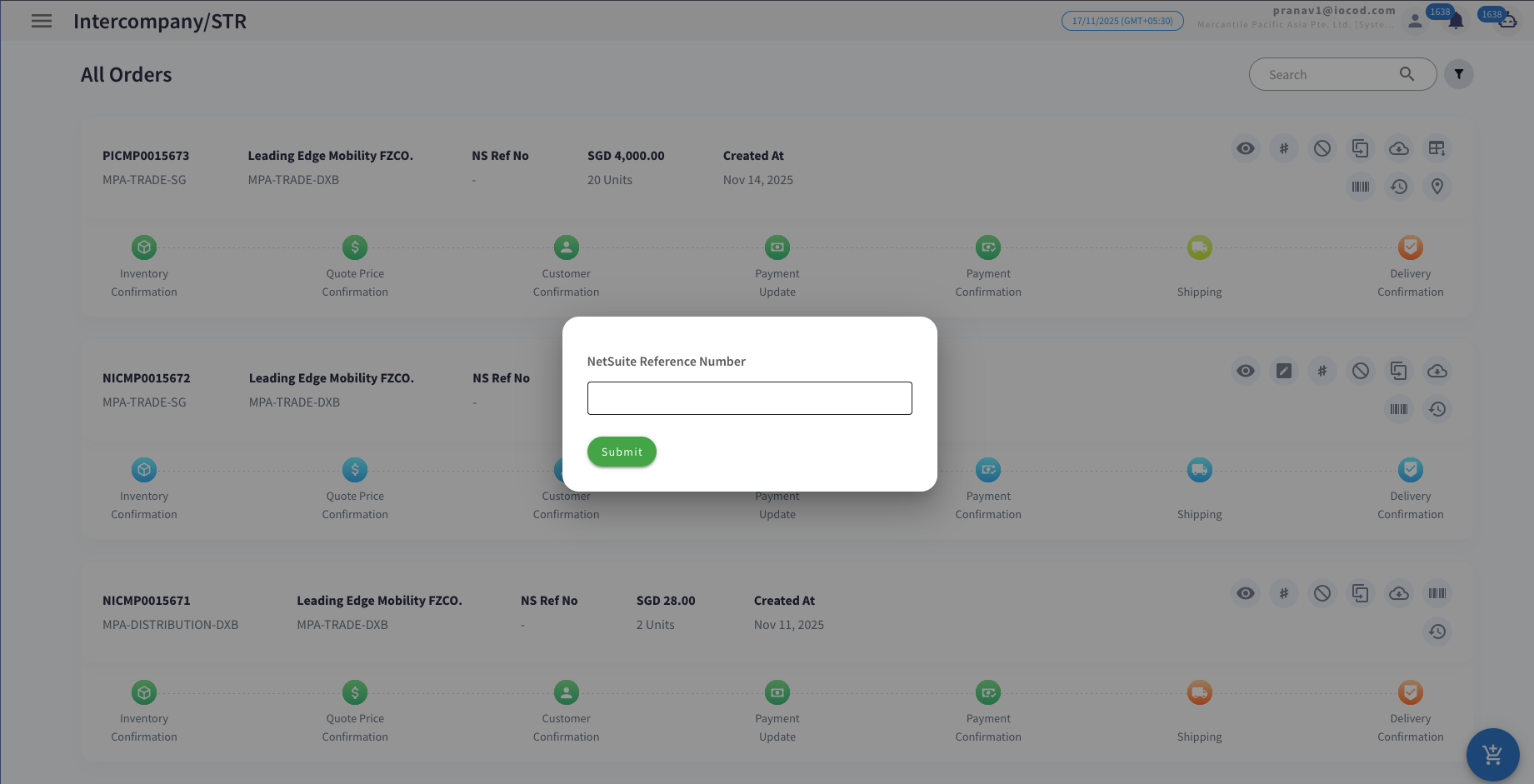
Click on the # action button.
-
Enter the NetSuite number.
-
Click Submit.

Cancel Order
-
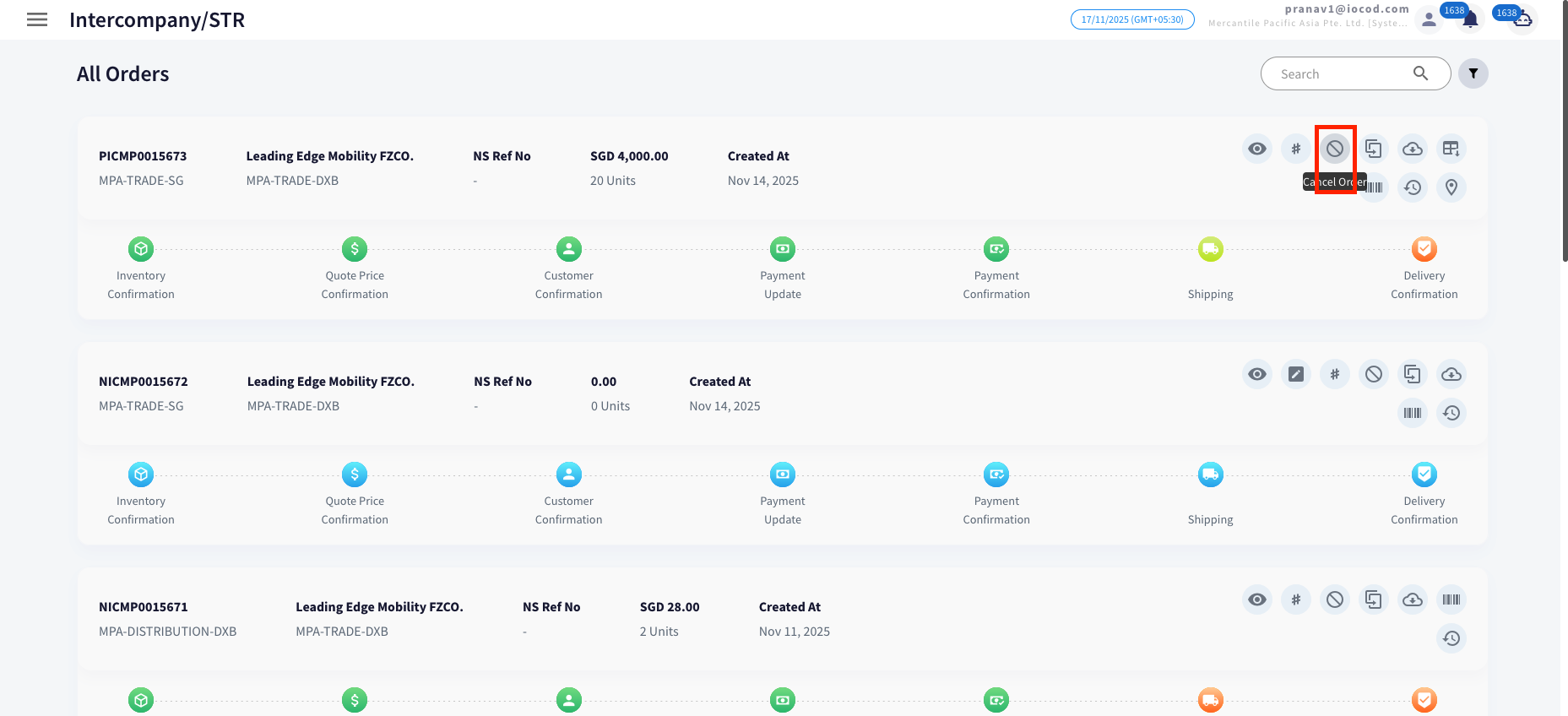
Click on the Cancel button (as shown in the image).
-
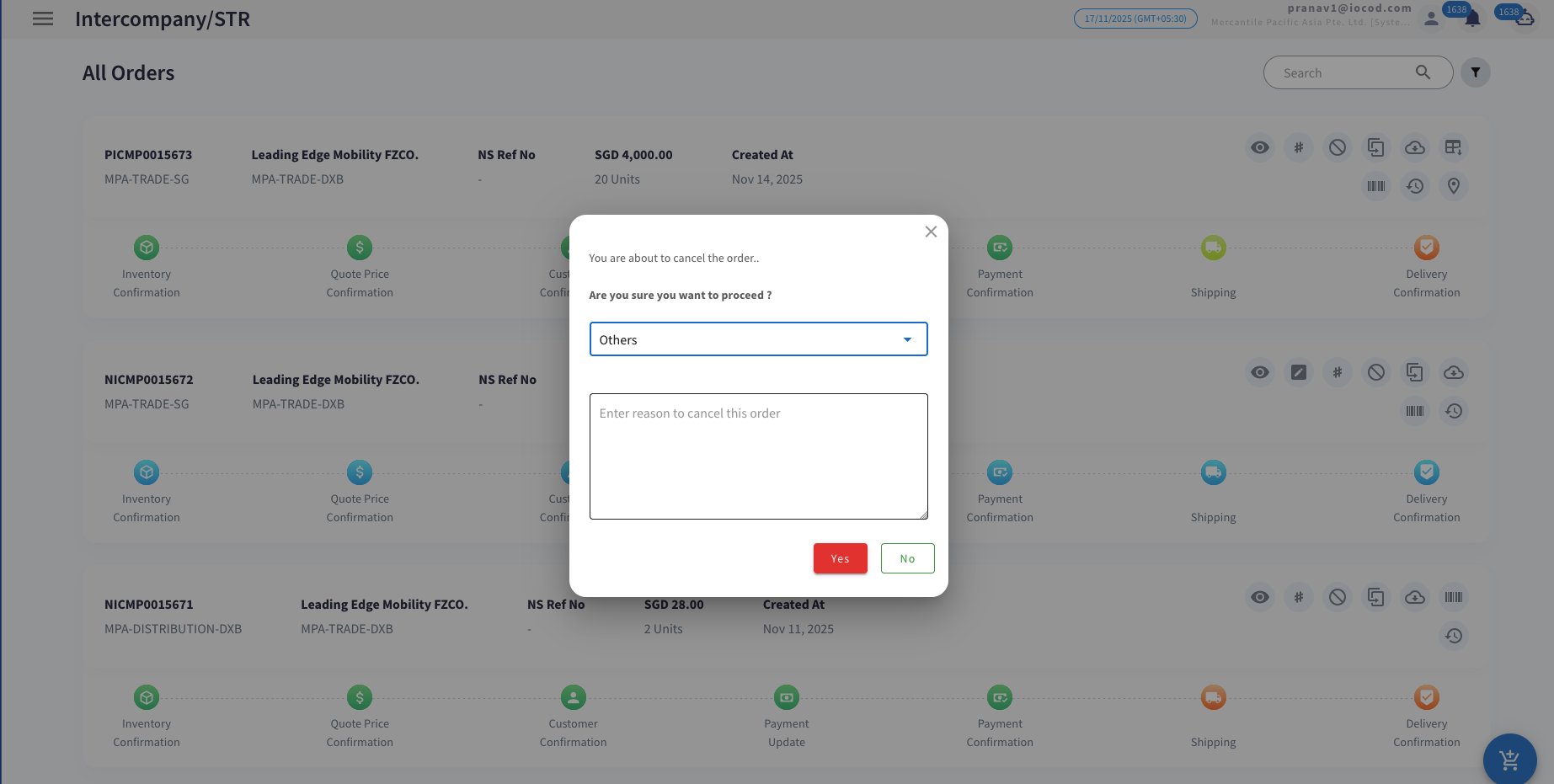
Select the reason for cancellation from the list.
-
If the reason is not listed, choose Other and enter the reason manually.
-
Click on Yes to confirm the cancellation.

Download Invoice
Steps to Download Invoice:
-
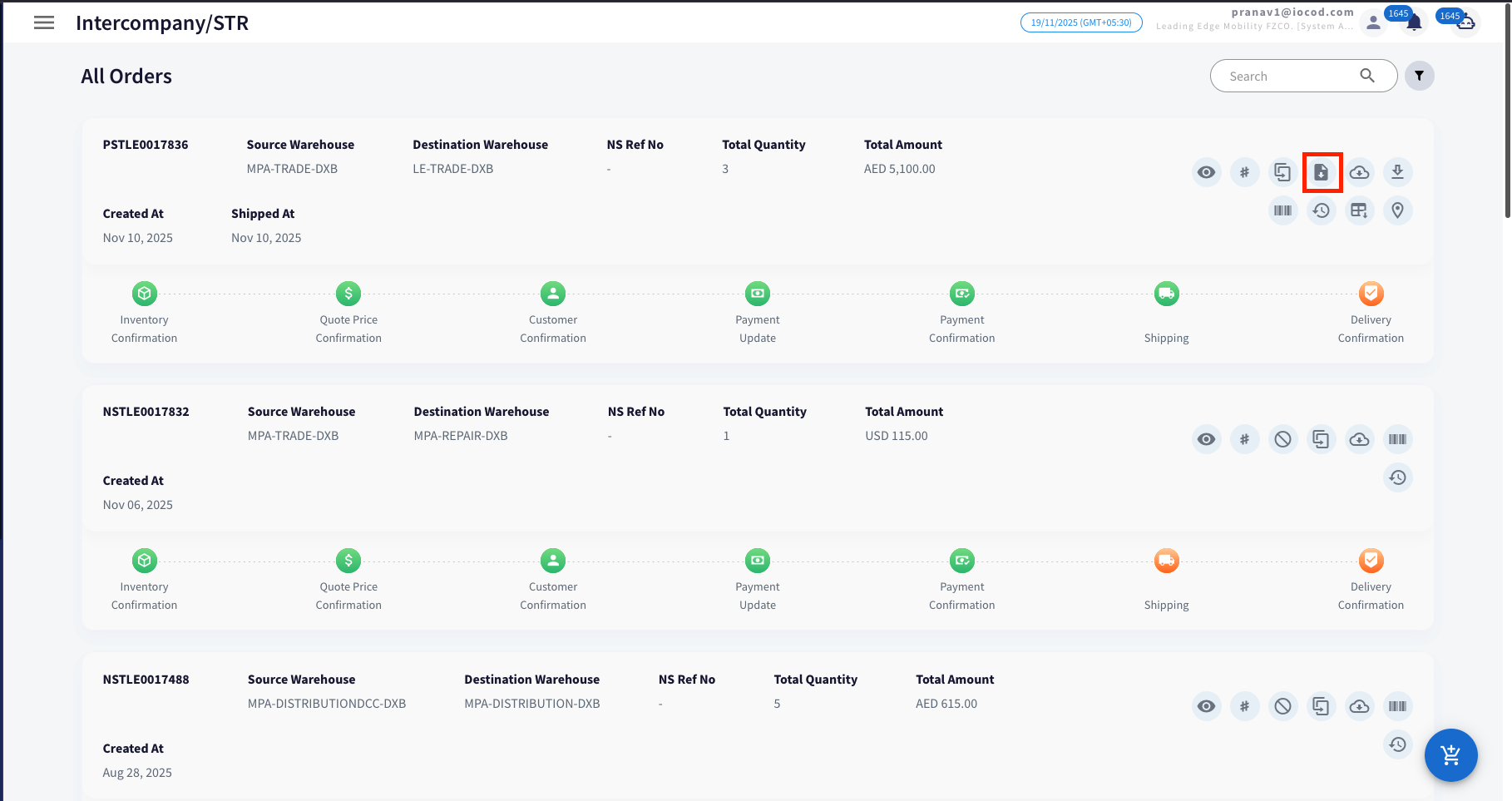
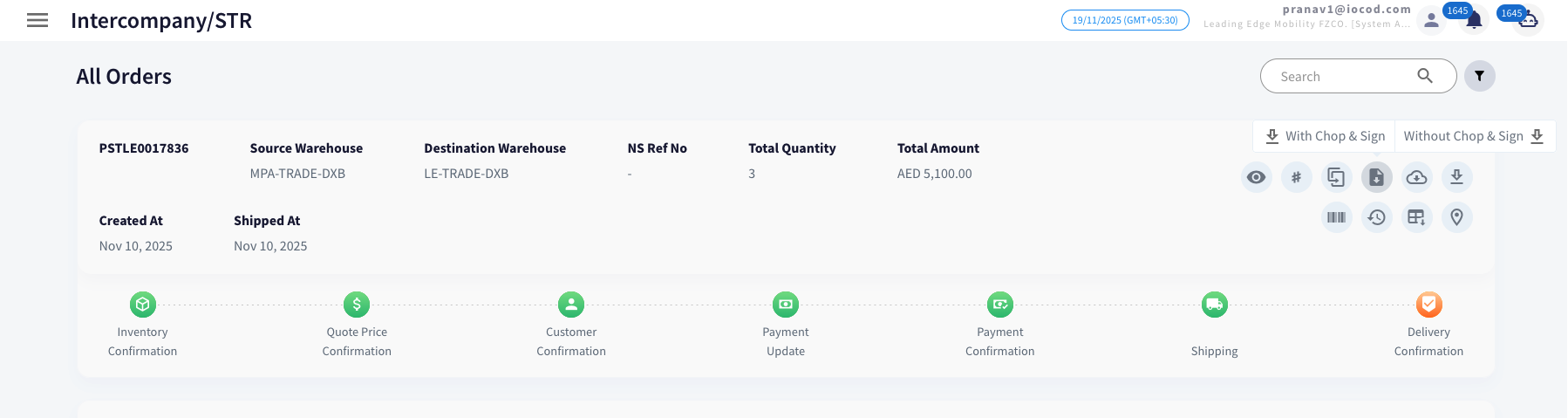
Click on the Download Invoice button (as shown in the image).
-
Select either With Chop and Sign or Without Chop and Sign as required.
-
The invoice will be downloaded automatically in PDF format.
Download PI
Steps to Download Invoice:
-
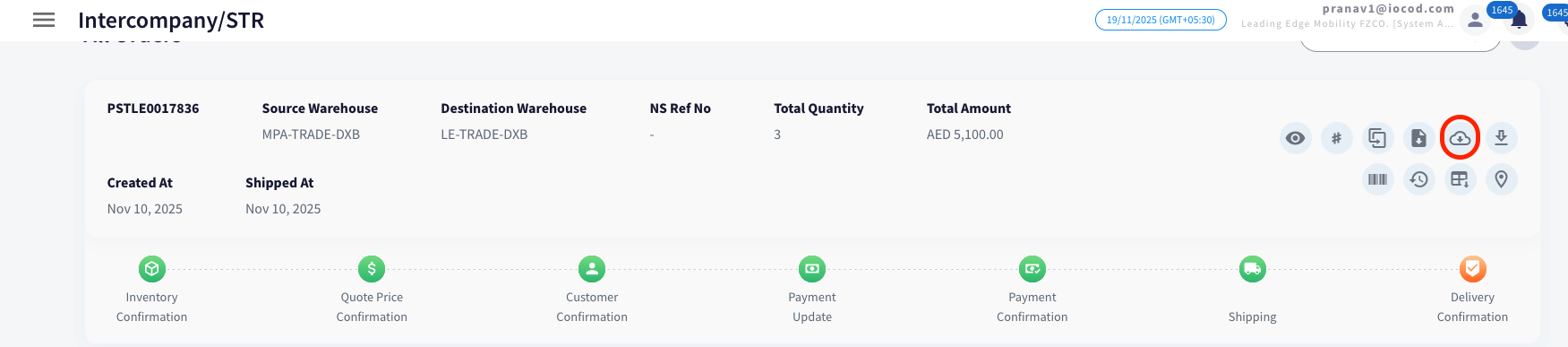
Click on the Download PI button (as shown in the image).
- The invoice will be downloaded automatically in PDF format.
Download DO
Steps to Download Invoice:
-
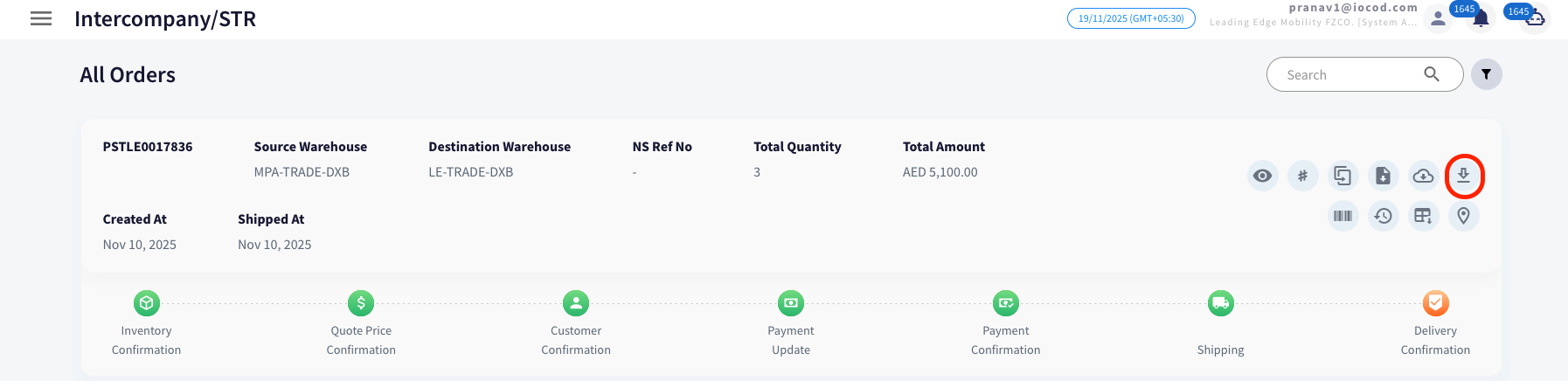
Click on the Download DO button (as shown in the image).
-
Select either With Chop and Sign or Without Chop and Sign as required.
-
The invoice will be downloaded automatically in PDF format.