1.2 Customer Compliance
The Customer Compliance section ensures that all customers meet the necessary legal, regulatory, and internal business requirements before engaging in transactions. It provides an interface to review, approve, or reject customer documentation, assign sales representatives, and manage compliance statuses.
How to Approve a customer and Assign multiple sales rep to a customer.
Customer Compliance List View
This screen displays all customers whose compliance status needs to be checked or managed.
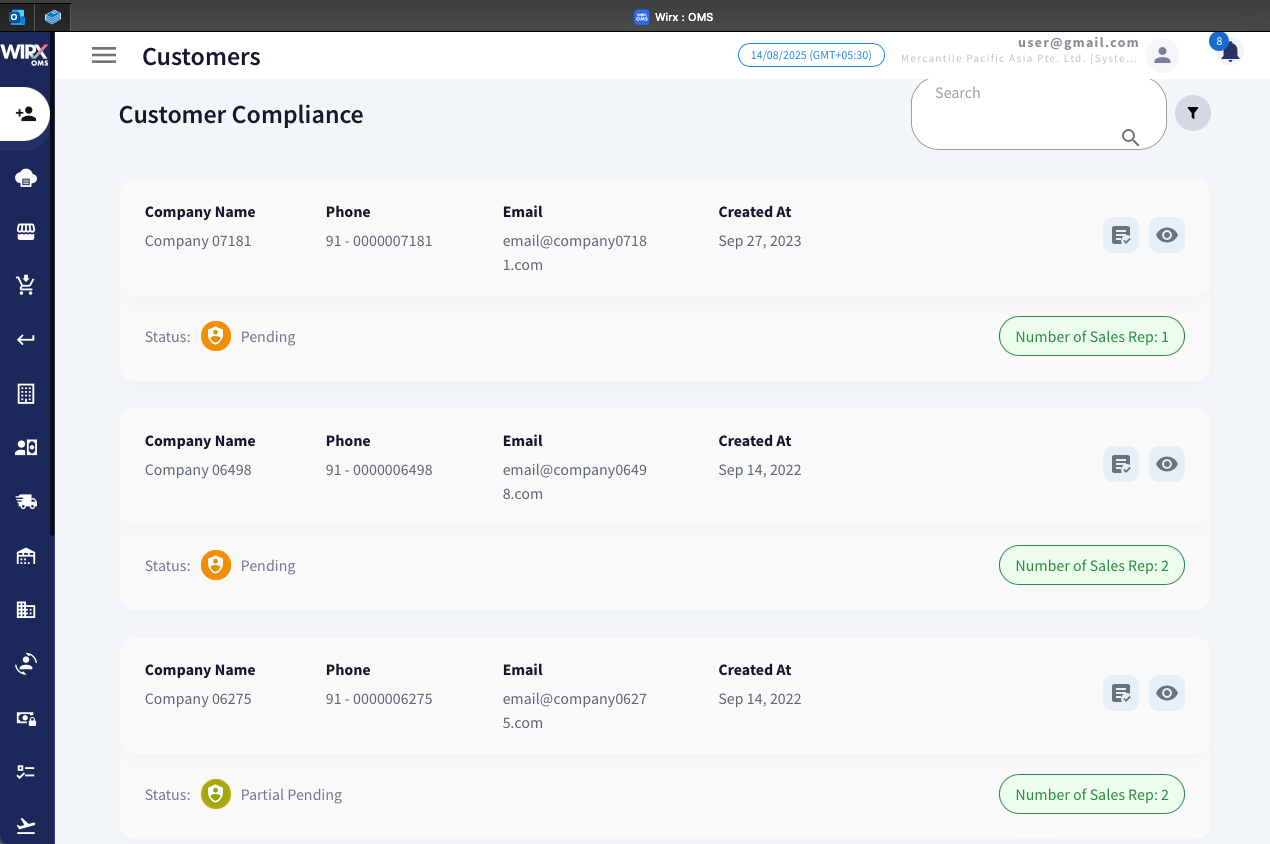
Displayed Information:
-
Company Name – Registered name of the customer’s company.
-
Phone – Customer’s contact number.
-
Email – Primary contact email address.
-
Created At – Date the customer record was added to the system.
-
Status – Compliance status of the customer:
-
ICON Status Overview 
Pending
Awaiting document review and approval.

Partial pending Document review partially completed -
Number of Sales Representatives – Number of sales reps assigned to the customer.


Actions Available:
| ICON | NAME | ACTION |
|
|
Assign Sales Reps | Allocate one or more sales representatives to the customer. |
|
|
View Compliance Details | Open a detailed compliance review screen. |


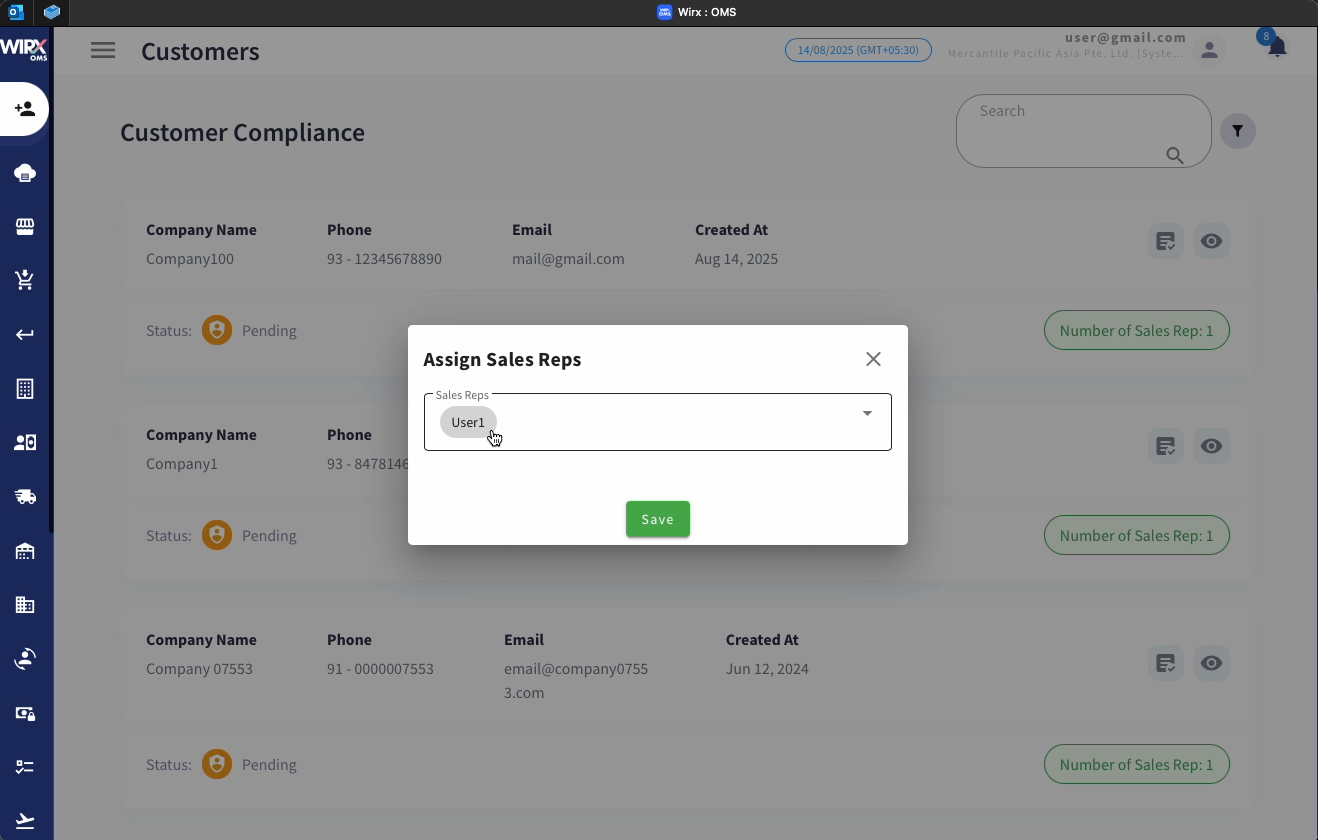
Assign Sales Reps Pop-Up
When assigning sales representatives, a pop-up form appears:
-
Sales Reps Dropdown – Select one or more users from the list.
-
Save Button – Confirm the assignment.


View Compliance Details
When viewing a specific customer’s compliance details, the screen is divided into two main sections:

Customer Information Panel
-
Status – Displays the customer’s current compliance status.
-
Contact Person – Name of the customer’s representative.
-
Phone Number – Customer’s contact number.
-
Email Address – Primary communication address.
-
Channel Name – Sales or operational channel.
-
GST/VAT – Indicates if tax-related information is available.
Documents Section
Lists all required compliance documents such as:
-
Tax Certificate – Proof of tax registration.
-
Registration Certificate – Proof of business registration.
Actions per Document:
-
View – Open and inspect the uploaded document.
-
Reject – Mark the document as non-compliant (with reason in the backend).
-
Approve – Mark the document as compliant.
Billing Details Section
Shows the customer’s billing address and contact details.
-
Select All Checkbox – Select multiple entries for bulk approval/rejection.
-
Approve / Reject Buttons – Approve or reject the billing information.